> For the complete documentation index, see [llms.txt](https://document.unifiedstacks.com/llms.txt). Markdown versions of documentation pages are available by appending `.md` to page URLs; this page is available as [Markdown](https://document.unifiedstacks.com/workflow-elements/agents.md).
# Agents
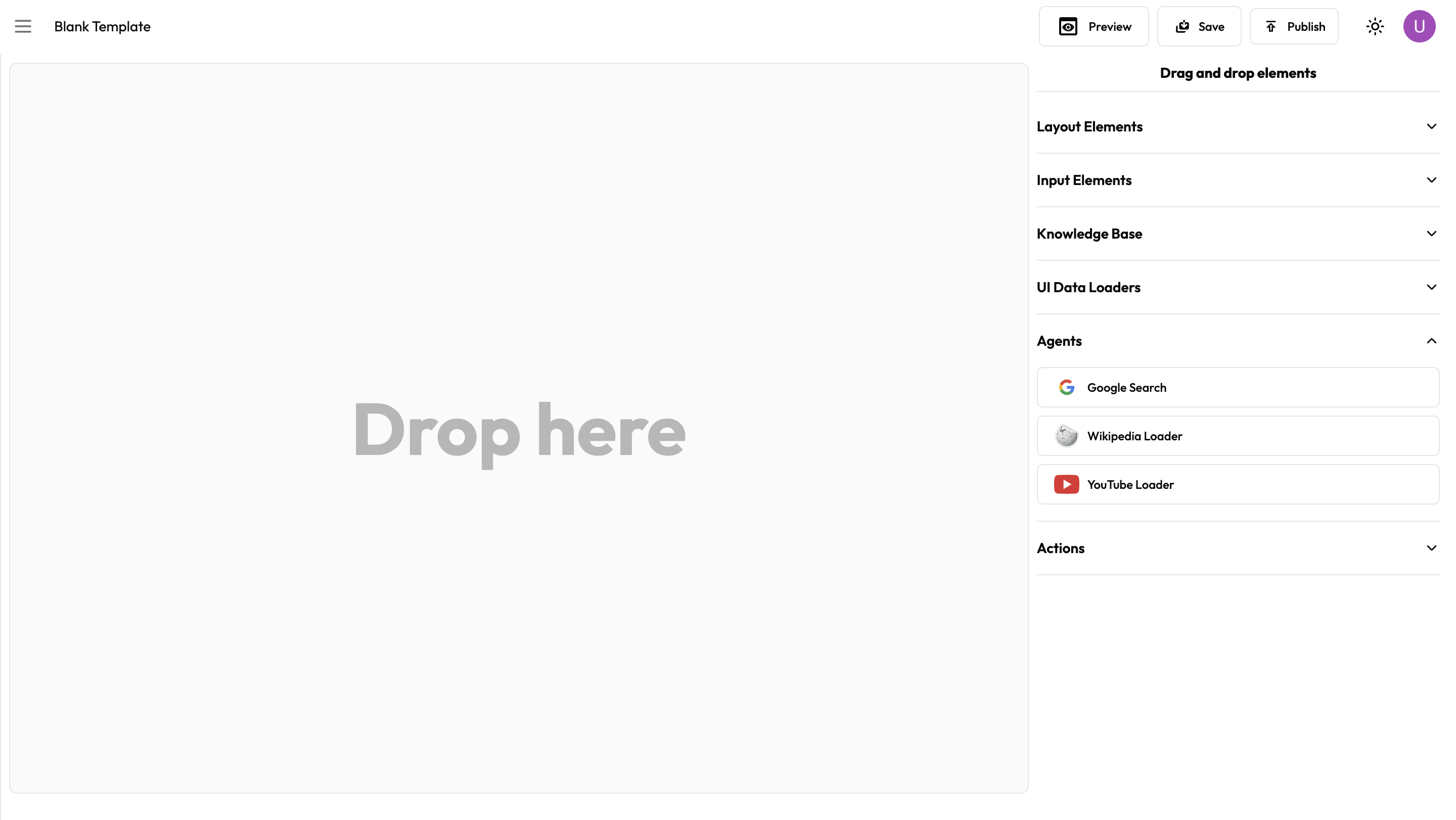
Agents are off-the-shelf tools which can help you enhance your workflow. These are collection of toolkits designed to do a specific task. You can also select if the output of agents are visible to the users or hidden.
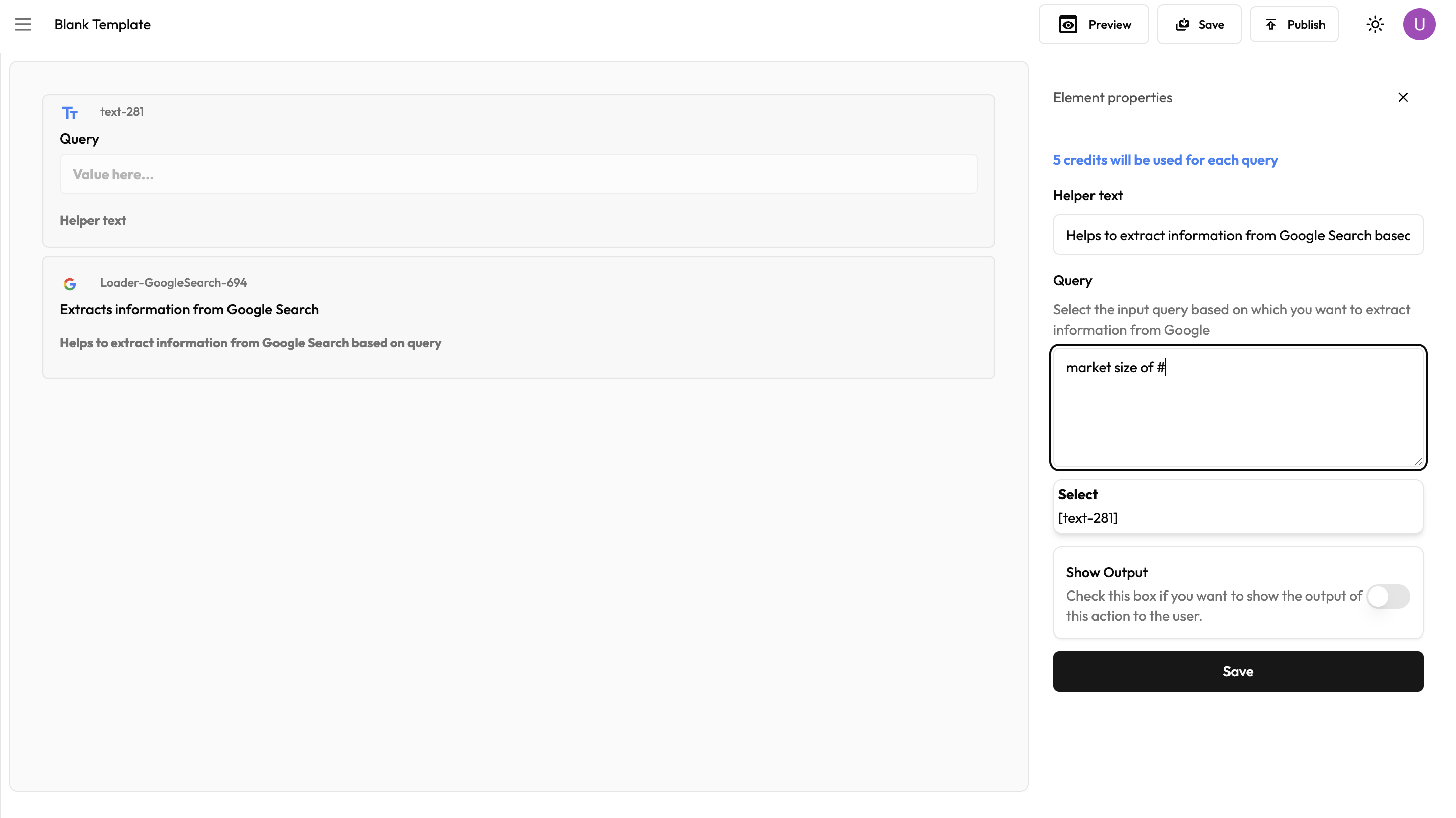
### Google Search
You can use Google Search agent to perform real-time search on Google and retrieve answers. You can either hard code the search query or pipe a set of variables from the workflow.
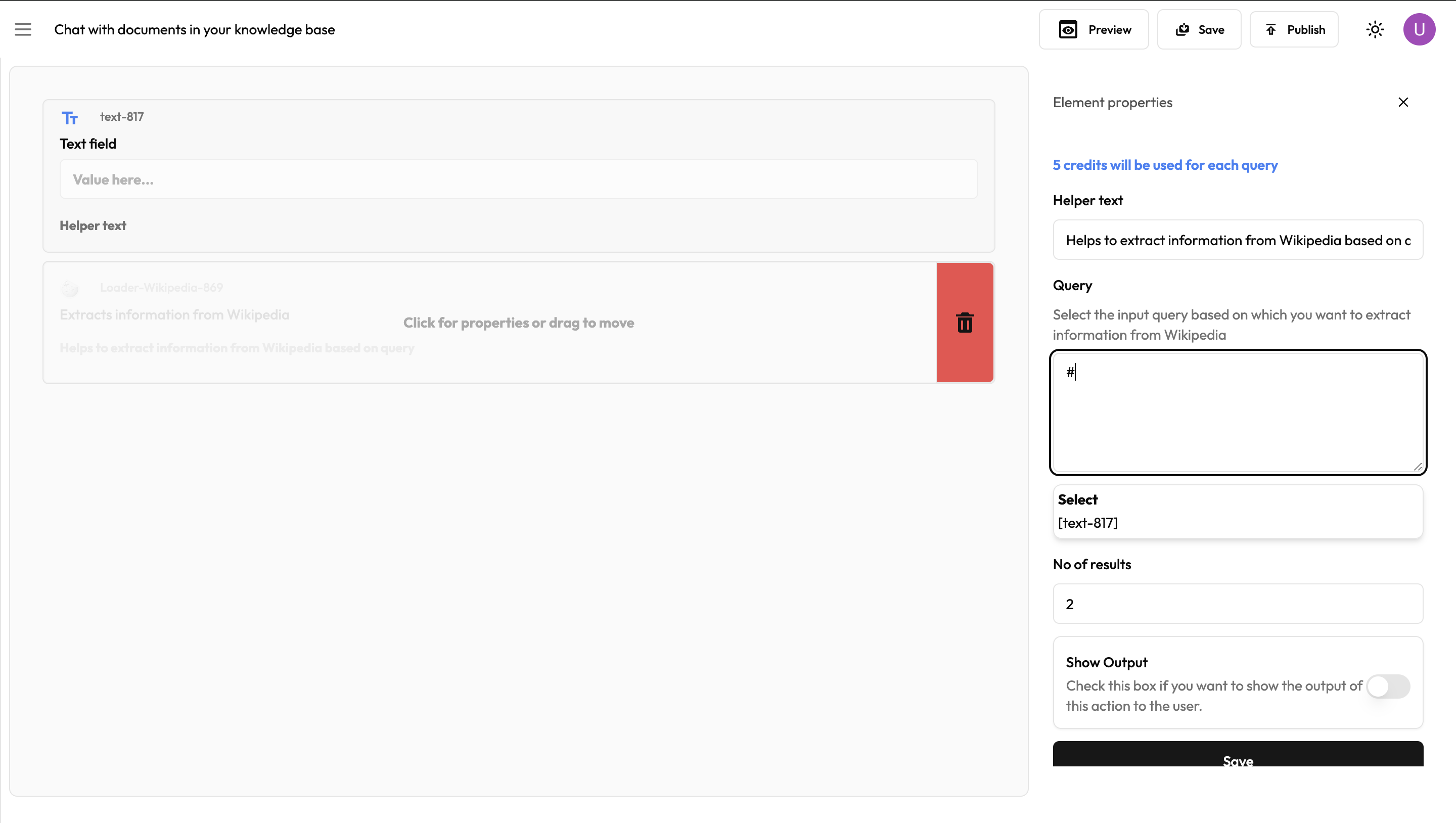
### Wikipedia
You can use Wikipedia agent to perform real-time search on Wikipedia and retrieve answers. You can either hard code the search query or pipe a set of variables from the workflow.
### YouTube
YouTube agent helps users to extract transcript by providing a YouTube video url. You can either hard code the url or pipe a set of variables from the workflow.